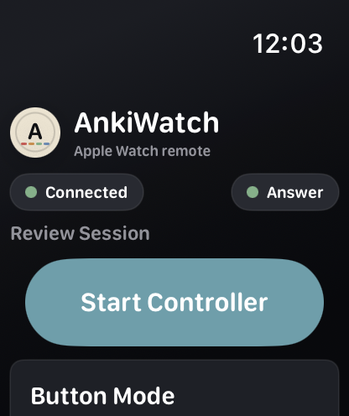
Button Mode
Full controls for Show Answer, Again, Hard, Good, Easy, undo, bury, and suspend.
 Tapd
Tapd
iPhone setup + watchOS control
Review cards from your wrist with a local Wi-Fi bridge. The iPhone app handles setup, the Watch handles reviewing, and nothing goes through a cloud account.
How to use it
Install the Tapd add-on from AnkiWeb with download code 862977605, then restart Anki Desktop.
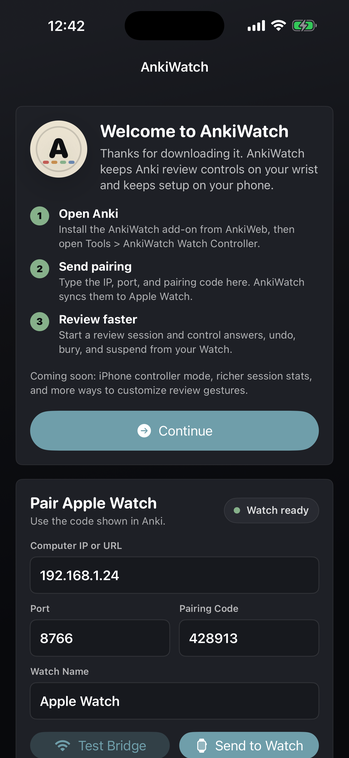
Choose Tools -> Tapd. The add-on shows your local IP, port, and a 6-digit pairing code.
Download Tapd from the App Store, open it on iPhone, enter the IP address, port, pairing code, and device name, then tap Send to Watch.
Open Tapd on your watch, finish pairing if prompted, choose a mode, and control the reviewer from your wrist.
Controller modes
Full controls for Show Answer, Again, Hard, Good, Easy, undo, bury, and suspend.
Tap for the primary action, long press for Again, and swipe for Hard or Easy.
Rotate the Digital Crown to pick an answer ease, then tap to submit.
Uses the watchOS primary hand gesture for show-answer and Good, with fallback buttons.
Shake, flick, or twist your wrist with sensitivity and cooldown controls.
Available now
Tapd includes an iPhone setup app and a watchOS controller. Get the New Release Discount for $4.99 in the US, €5.99 in the Netherlands and Germany, or £4.99 in the UK. Download Tapd from the App Store, then install the Tapd add-on from AnkiWeb with download code 862977605 so Anki Desktop can accept local commands from your devices.
Get the iPhone and watchOS app from the App Store.
For bugs or support, email [email protected].
Tapd is an independent companion app. It is not affiliated with, endorsed by, or sponsored by any related platform or flashcard software owners.